MacBook Pro M6: more power, 100 euro more—does it really matter?
Luca Tarik 5 min read
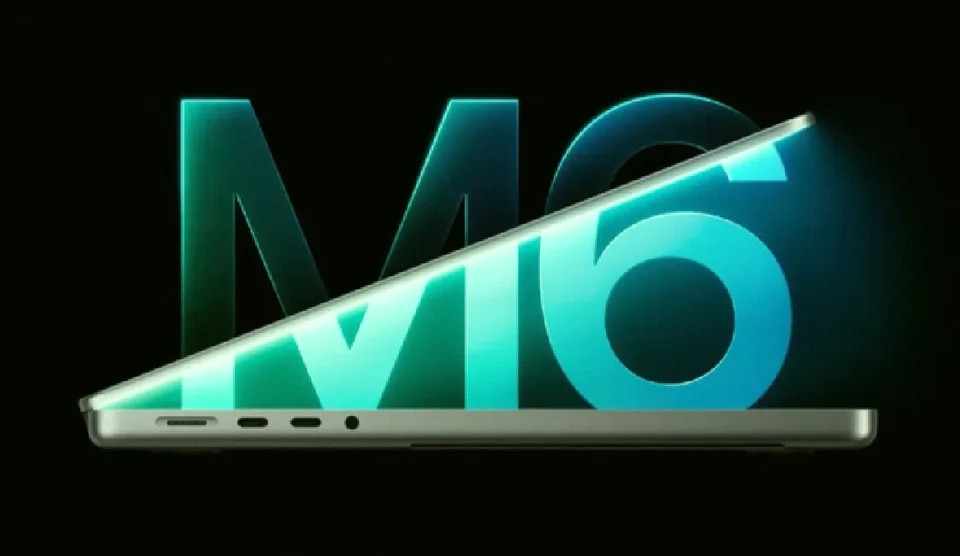
The MacBook Pro M6 offers faster graphics and AI performance. Consider if the upgrade fits your workflow.
If you're considering upgrading your MacBook Pro, you might be wondering whether the new M6 chip justifies the cost. This article breaks down what the MacBook Pro M6 actually offers, how it compares to previous models, and whether the upgrade makes sense for you. We'll cover the chip, display, battery life, connectivity, and where to buy.
The MacBook Pro M6 represents a significant step up from earlier MacBook Pro models. While the design remains familiar, the internal components have seen major upgrades. This guide will help you understand whether the extra performance and connectivity are worth the price increase.
Whether you're a content creator, a developer, or someone who values long battery life, the M6 brings important changes. We'll walk through the key differences and help you decide if the upgrade is the right move for your workflow.
What the M6 actually delivers
The Apple M6 chip is the centerpiece of the new MacBook Pro. It includes a 12-core CPU and a 12-core GPU, each with two additional cores compared to the M5. This upgrade translates to up to 30% faster graphics performance and up to 25% faster AI workloads.
The Neural Engine has been doubled to 16 cores, and each GPU core includes its own Neural Accelerator. This allows for faster image generation, upscaling, and photo editing directly on the Mac, without needing to send tasks to the cloud.
Memory and storage are also an upgrade. Unified memory starts at 16GB and can be configured up to 32GB, with a bandwidth of 170 GB/s. This is faster than the M5's 153 GB/s, which helps with transferring large files, exporting video, and working on complex projects.
How the performance compares
The performance gains are most noticeable when you're working with graphics, AI, or development. The table below shows the specific improvements Apple has reported:
- Ray tracing rendering in Blender: up to 11.7x faster
- AI prompt processing: up to 13x faster
- Xcode project compilation: up to 2.5x faster
- Photography in Affinity: up to 1.2x faster
These are test and application-specific results, not a uniform boost across all software. If you mainly use the Mac for web browsing and document work, the advantage over the M1 is smaller. The real jump shows up in creative and coding tasks.
Display and connectivity
The MacBook Pro 14 M6 retains the Liquid Retina XDR display from previous models. It's not an OLED screen, but the resolution, ProMotion, and color accuracy remain strong. The display has 254 ppi and supports ProMotion up to 120 Hz.
For connectivity, the M6 supports Wi-Fi 7 and Bluetooth 6. You'll also get Thunderbolt 4, HDMI, MagSafe 3, SD card reader, and headphone jack, with support for two external monitors. If you need Thunderbolt 5, you'll need to look at models with M5 Pro or M5 Max chips.
Battery life and where to buy
Apple claims up to 24 hours of battery life, matching the previous M4 and M5 models. Users coming from older Intel models can get four additional hours, and those from M1 models can get up to 14 hours.
Charging is fast, with 50% in about 30 minutes using a 96W USB-C power adapter. The MacBook Pro M6 starts at 2,349 euros in Italy with 16GB of memory and a 1TB SSD. The pre-order period begins on October 28, 2026, with deliveries starting on November 6.
The Education version starts at 2,229 euros, and the 32GB configuration starts at 2,789 euros. The MacBook Pro 16" with M5 Pro or M5 Max remains at 3,499 euros.
Should you upgrade?
The M6 is particularly attractive for users still on Mac Intel or M1 models who work with video, photography, 3D graphics, or software development. In these cases, the performance, battery life, and memory make the upgrade worthwhile.
Users who already have an M4 or M5 MacBook Pro have less reason to change. The screen, design, and maximum battery life remain largely the same. The decision really comes down to how much time the extra power can save you in your daily work.
Comparing to M5 Pro and M5 Max requires caution. The M6 is newer, but higher-tier chips like M5 Pro and M5 Max offer more memory, higher bandwidth, and Thunderbolt 5. Choosing the right MacBook Pro ultimately depends on your work needs, not just the processor generation.
FAQ
Is the M6 worth the price increase?
The MacBook Pro M6 starts at 2,349 euros, which is 100 euros more than the previous M5. If you use it for graphics, AI, or development, the performance gains justify the cost. For general web use, the upgrade may be less critical.
How does the battery life compare to older MacBooks?
The MacBook Pro M6 offers up to 24 hours of battery life, matching the previous M4 and M5 models. Users from older Intel models get four additional hours, and those from M1 models can get up to 14 hours.
What's the difference between M6, M5 Pro, and M5 Max?
The M6 has 12-core CPU and GPU with 16-core Neural Engine. M5 Pro and M5 Max offer more memory, higher bandwidth, and Thunderbolt 5. The M6 is newer, but if you need Thunderbolt 5, you'll need to choose a higher-tier model.
Where can I buy the MacBook Pro M6?
The MacBook Pro 14 M6 starts at 2,349 euros in Italy. Pre-orders begin on October 28, 2026, with deliveries starting on November 6. The Education version starts at 2,229 euros.
Conclusion
The MacBook Pro M6 brings substantial performance improvements, faster connectivity, and better memory bandwidth. Whether you're a creative professional or someone who values long battery life, the upgrade makes sense. The key is to match the power to your work needs, and to consider whether the price increase is worth the gain for your specific use case.